(Last Updated On: )
In the Amazon product sourcing game, efficiency is the name of the game, rather than speed. We would all love to get our hands on a list of high-profit, fast-selling products every day, but seasoned online arbitrage-sourcing sellers know work is required to make sure we buy the things that will give us the results we want. Speed through and you will make mistakes.
I use Tactical Arbitrage when I’m on the hunt for new things to buy to resell. It’s the best tool around for online arbitrage Amazon sellers. If you’re already a user, I’m sure you’ll have spent a little time experimenting with the best way to display the Product Search results.
There are 32 different bits of information you can display, if you so wish. I’ve narrowed mine down to 10. Let me quickly run through mine and how it helps me to make quicker decisions on what to buy and what to steer clear of.
Title | Product Image | Amazon Image | Amazon Title
First up are the ones that identify the product. Surely everyone has these four first. It’s completely irrelevant what the price difference is until you know that you’re comparing the right things. I find that it’s best to have the images next to one another (rather than being separated by the Amazon title) as it’s that bit easier to spot any potential differences between the two.
The Amazon title section also contains the Keepa overview, which I use as a hint of the sales velocity before I look a little deeper into the product. If you prefer to delete your mismatches and slow seller before you go through the potential winners, it’s probably the quickest way to weed out the bad ones.

Price | Amazon Buy Box Price | Gross ROI | Gross Profit
Next up is the pricing section. Now I know that I’m comparing two products that match up, I need to figure out how much do I have to spend and how much I can make from it. Seeing the source price against the Amazon price usually tells me enough, and then it’ll be confirmed with the ROI and profit numbers.
The search criteria ensures that I’m only presented with products that I would consider buying in the first place, so as long as there’s plenty of choice, I know it’s been a good search.

Sales Rank | Average Rank (90 Days)
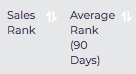
Finally, we have the Sales Rank data. Once the search is complete, I’ll usually sort the data by the lowest Sales Rank (rather than highest Gross ROI or Gross Profit). This bring me straight to the stock that will sell quickest. I wouldn’t ever use the actual figures shown to make an assumption on how quickly something will sell; I get that information from Keepa, but the difference between the current Sales Rank and 90-day average is helpful too.
The Ones I Leave Out
Since I’m here, I’ll go through the ones I don’t include and why:
Quantity – I would never base my decision on whether to buy or not on how many of something is available. If it’s a winner, I’m getting me some units
Source – All of my searches are limited to a single source, and then the data is cleared. Although I do see the value of this if I changed my ways
Adjusted Price – Meh
In Stock – Even if a products out of stock, it’s extremely helpful to know what was available. It’s nearly as valuable as being able to buy it then and there
Amazon Category – As I’m ungated in pretty much every category, this doesn’t make much difference
Brand – It takes up a lot of space considering the information is in the title, but I can see how this can be helpful with a large scan
ASIN – If I’m that interested in the product, I probably would have clicked through to the product page, at which point it’s just as easy to retrieve this
Amazon UPC/EAN – Irrelevant
UPC/EAN – As above
Buy Box – Knowing whether Amazon, a Merchant Fulfilled or Prime is holding the Buy Box is interesting, but rarely a factor on whether to buy or not
Amazon Return After Fees – I’d rather not see how much Amazon is skimming off me for each sale (before we take other factors into account)
Return After Prep and Ship – Not relevant to my business
New Sellers – Who cares?
Weight – The image usually says all
Product Size – My search criteria should make sure I’m only getting things within my ideal size range anyway
Average Rank (30 Days) – A month can be deceiving, compared to the past three
Keepa Graph – This takes up a lot of room, and you can easily hover to see the score. Also the in-depth analysis needs to be done on the Amazon product page itself
Estimated Monthly Sales – It’s rarely accurate, so better to just skip
Reviews – I don’t care
Rating – If it’s selling, the rating is irrelevant
Last Update – None of the data stays in the tool more than a couple of days, so I have no need
Notes – I wouldn’t need to store this within the tool

- NVIDIA’s AI Dominance: Evaluating DataCentre Demand, Competitive Risks, andValuation Sustainability - July 1, 2026
- Controlling Power From Anywhere in the World - September 16, 2025
- From Flat Sheet to Strong Box: How Smart Design Stops Damage - August 28, 2025